
Creating an API Key
API keys allow developers to interact with ToolForge programmatically using the ToolForge API
API keys allow developers to interact with ToolForge programmatically using the ToolForge API. This article describes how to create a new one. Each user is only allowed up to 10 active API keys at a time, so plan accordingly.
To create a new ToolForge API key, first log into ToolForge.
Next, visit your profile settings.
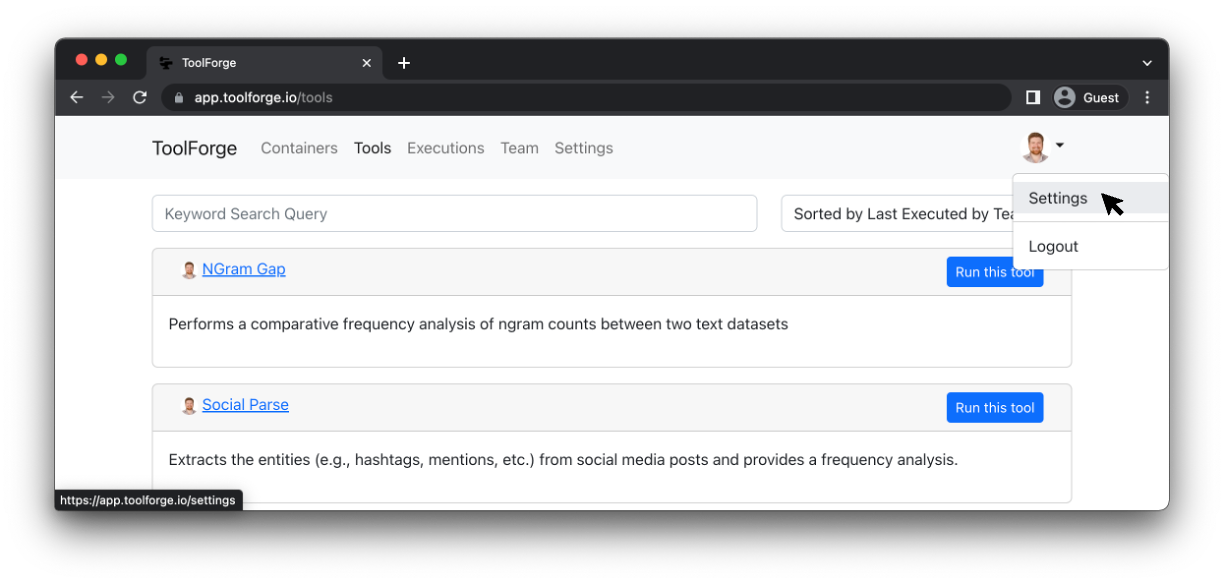
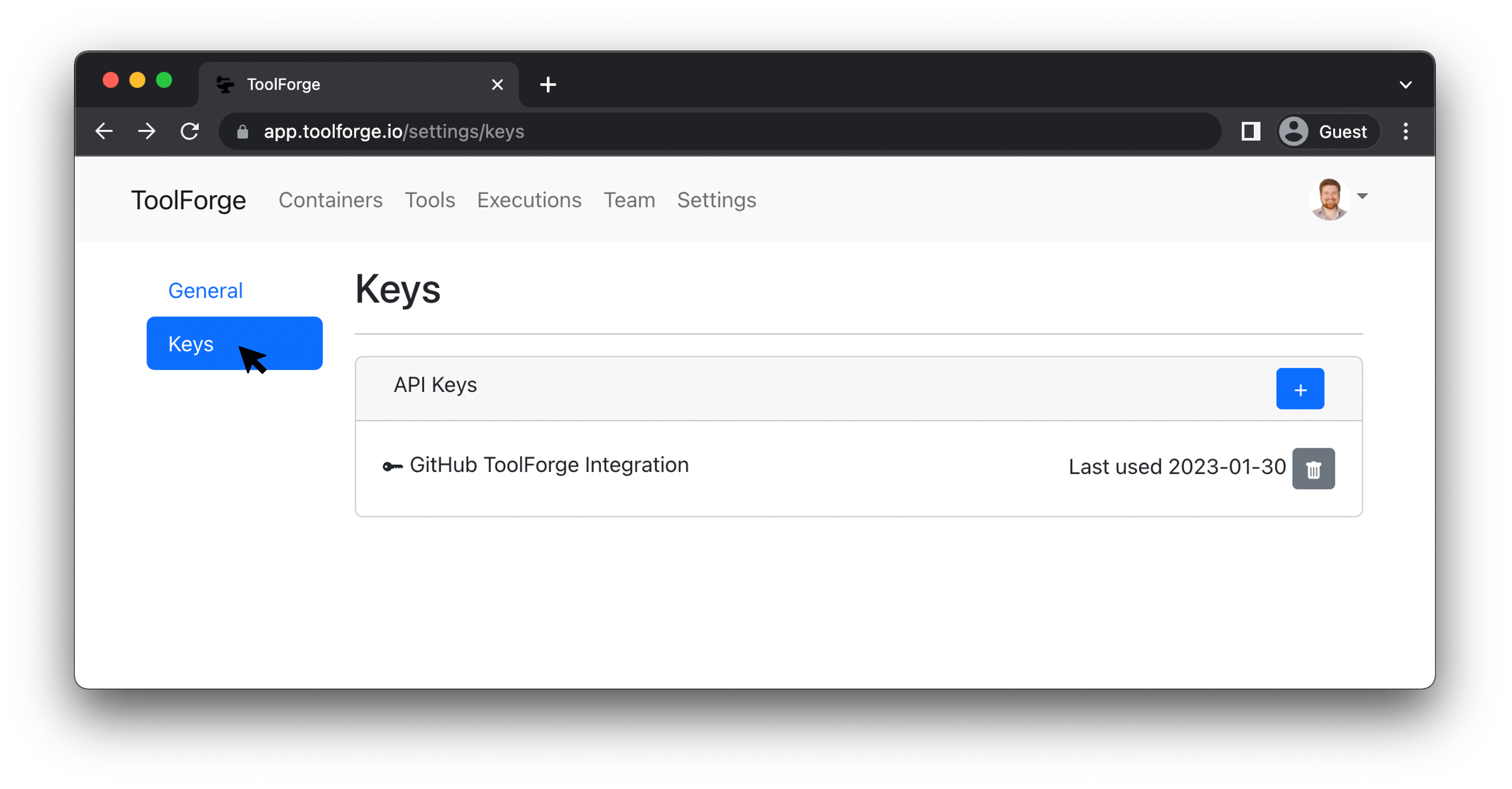
Within your profile settings, select the "keys" section.
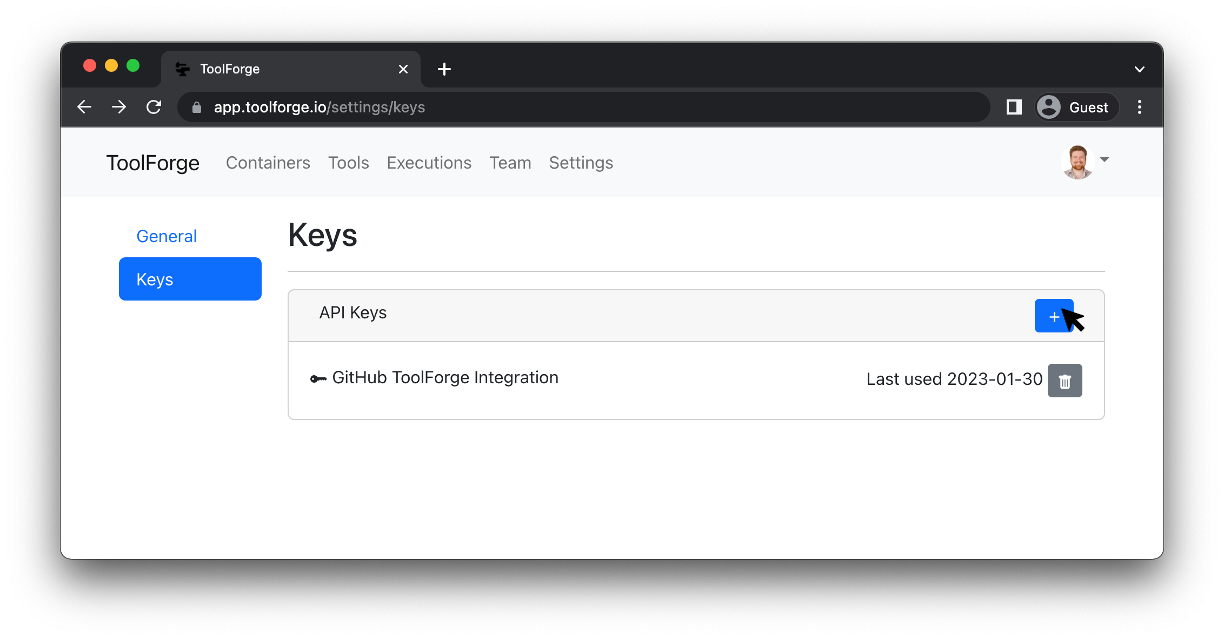
Click the "Create New API Key" button to create a new API key.
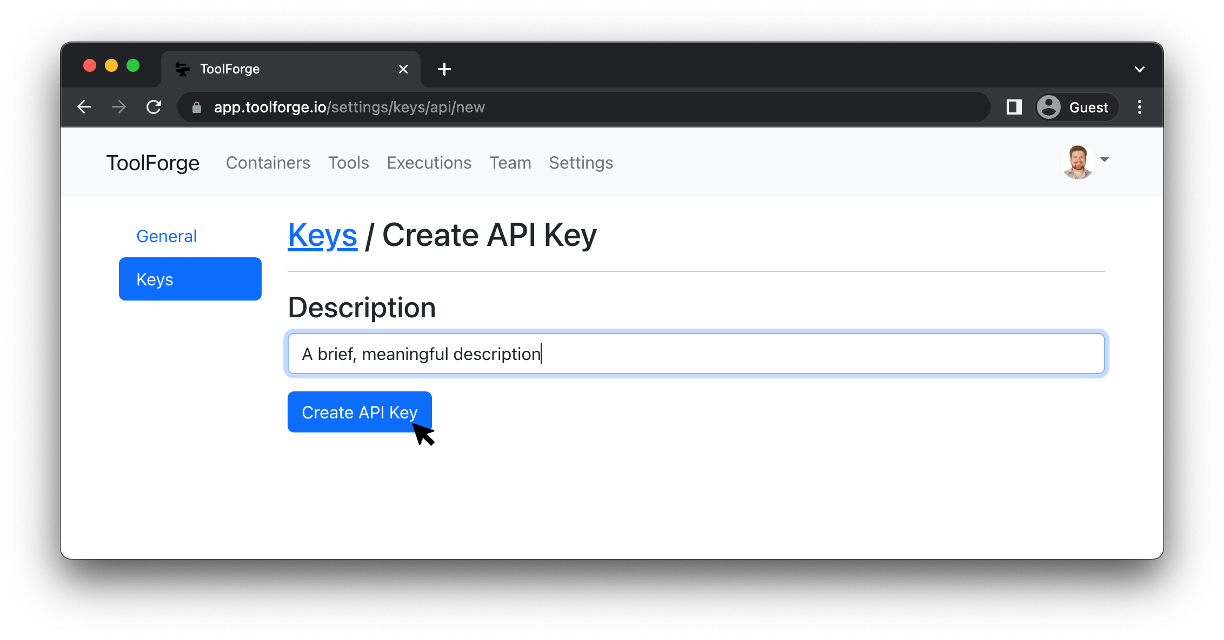
Enter a brief, meaningful description of the key and click the "Create API Key" button to create the key.
Your new API key will be shown only once on the next screen. Click the clipboard icon to copy your key and store it someplace safe. To be clear, there will not be another opportunity to view your key, so copy it now.
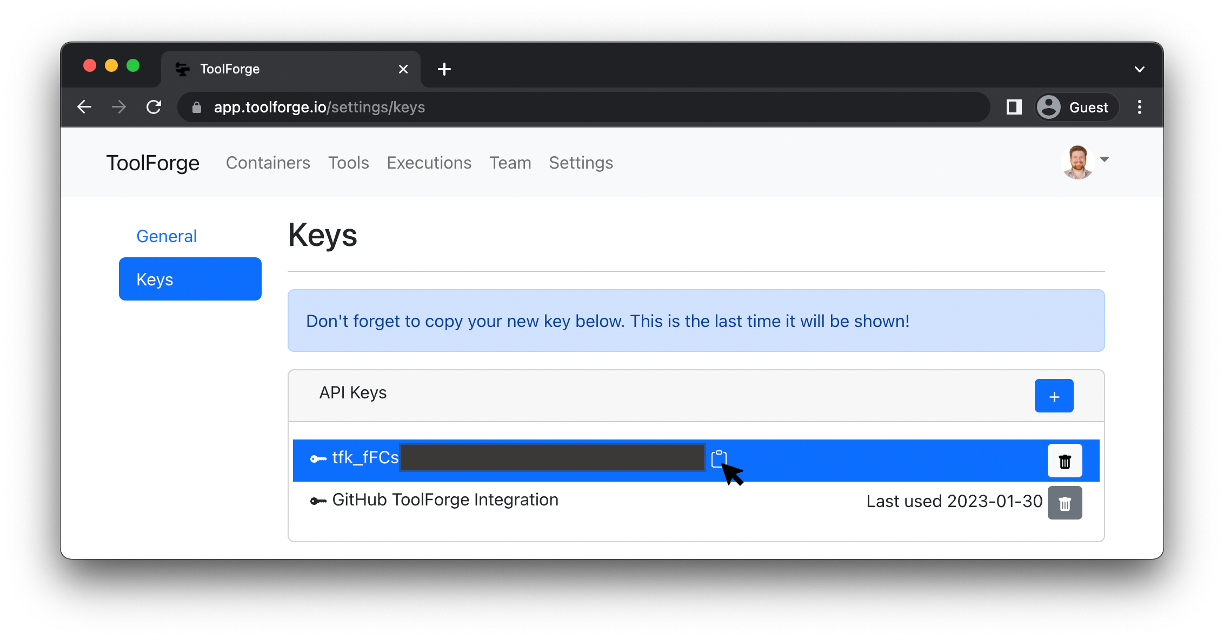
That's it! You have your new API key.
Updated over 3 years ago